
Datacap request latencies cut from seconds to milliseconds.
A large retail bank was experiencing serious performance issues with IBM Datacap. Simple actions in Datacap Navigator — opening a batch, moving around a document or selecting an option from a dropdown could take several seconds to respond. At first, there was no obvious reason for the slowdown. Server resources (CPU/Memory/Disk) looked normal, database response times were good (in milliseconds) and there were no apparent network issues.
We were brought in to investigate where the delay was coming from and find a fix for it.
Every action in the workflow paused for several seconds.
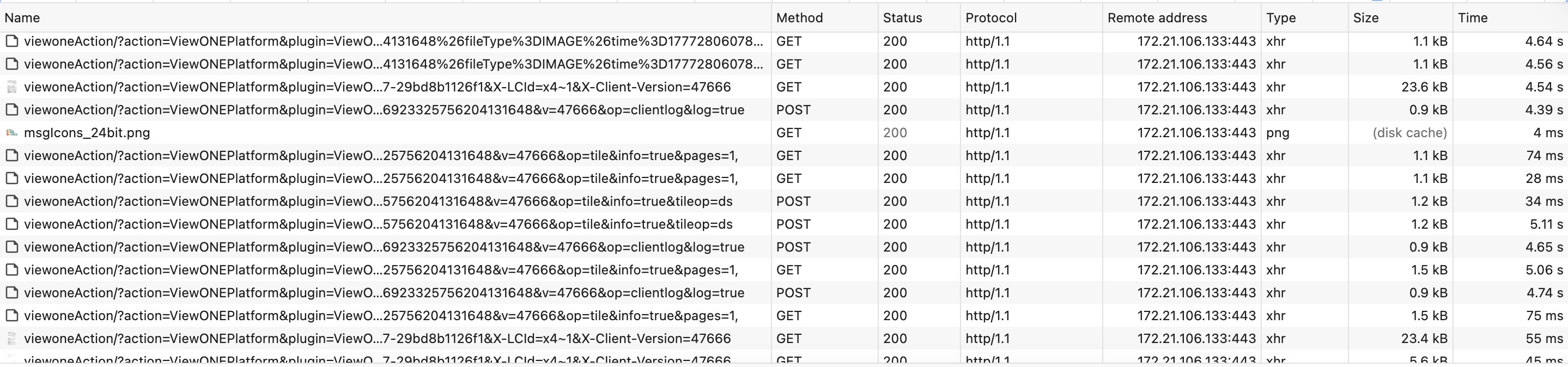
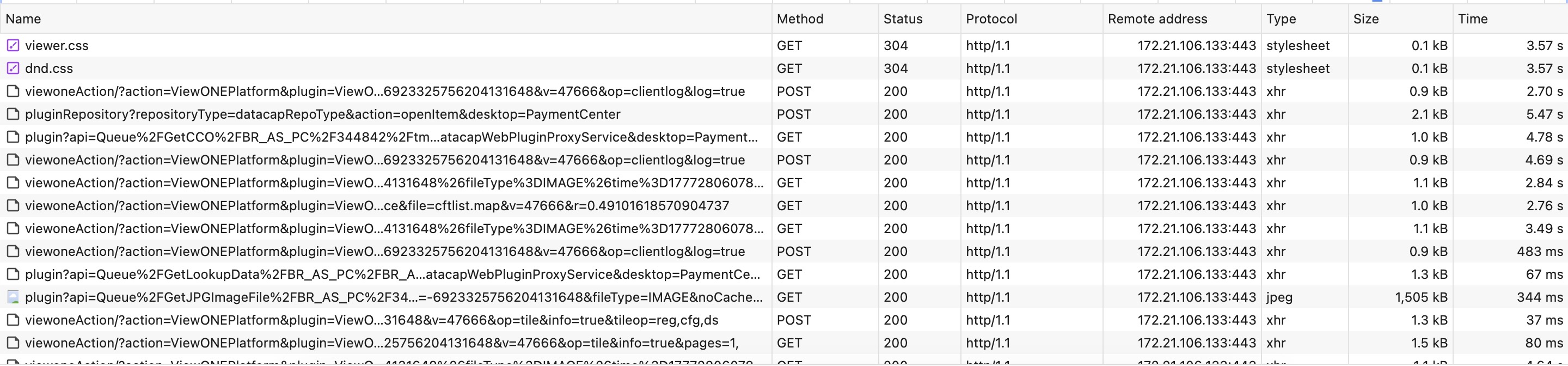
A HAR capture of a single normal session recorded 144 requests and 455 seconds of wall clock. Around 96% of that time was spent waiting for the server to start responding.
What caught our attention was that the delay had very little to do with the amount of data being transferred. For example, a 1.5 MB image was returned in around 344 ms, while a
saveFile request returning only 76 bytes took about 15 seconds. Small requests, cached responses and larger files were all showing similar delays.
That told us the problem was unlikely to be bandwidth or payload size. Something on the server was adding several seconds of waiting time to individual requests.
A logging lock, held open by a DNS lookup.
The HAR data gave us an important clue. Most of the time was being spent waiting for the server, and many requests showed a delay of roughly five seconds.
To see what was happening inside the application server during those five seconds, we collected eight Java thread dumps from the WebSphere JVM running IBM Content Navigator. The dumps were taken five seconds apart while users reproduced the issue. This is where the cause became much clearer.
In six of the eight thread dumps, one WebContainer thread was holding the global com/ibm/ejs/ras/SystemOutStream monitor used by WebSphere logging.
That thread was waiting inside:
java/net/Inet6AddressImpl.getHostByAddr
The call came from:
SystemOutStream.logRolled()
    → RasHelper.getFullHostName()
      → InetAddress.getCanonicalHostName()
        → Inet6AddressImpl.getHostByAddr()
In other words, WebSphere was rotating its SystemOut.log file and trying to resolve the server’s own IP address to its fully qualified domain name before
writing the new log header. While that DNS lookup was waiting, the logging lock remained held.
At the same time, we could see other WebContainer threads waiting for the same lock. Those requests were passing through NavigatorContext and
attempting to write debug messages. This meant an otherwise small logging operation was holding up normal IBM Content Navigator requests.

WebContainer : 27 holds the logging monitor while it waits on DNS; seven other request threads
are queued behind it with nothing to do.The next question was why the hostname lookup itself was taking about five seconds. A targeted Wireshark capture provided the answer.
The server had two network interfaces. The primary interface was handling the application traffic normally. The second interface, Ethernet2, had the IP address
X.X.X.130 but no DNS server configured.
When Windows attempted a reverse DNS lookup through that interface, there was no DNS server available to answer the request. The lookup therefore waited until the operating system’s resolver timed out after five seconds. That matched the delay we had been seeing in the request captures.
Two lines in the hosts file to bypass the failing DNS lookup.
Once we understood the cause, the immediate fix was straightforward. We added entries to the Windows hosts file on the WebSphere server, mapping each of the
server’s IP addresses to its canonical hostname. This allowed getCanonicalHostName() to resolve the hostname locally instead of waiting for a DNS lookup.
As a result, WebSphere could complete the log rollover immediately and release the logging lock without holding up other application requests. The change was small and easy to reverse, and it did not require an application change or additional infrastructure.
Debug tracing had also been left enabled on the system. That filled SystemOut.log quickly and kept the rollovers coming, and every rollover was another
five-second stall — which is why users were hitting the problem so often rather than occasionally.
For longer-term housekeeping, we also recommended reviewing the WebSphere setting related to FQDN resolution, reducing unnecessary IBM Content Navigator debug logging and adding the appropriate DNS PTR record.
Response times dropped to milliseconds.
The difference was immediate. After the hosts file change, every page in the workflow rendered in well under 70 ms and mostly much below. Follow-up thread dumps were clean — no thread anywhere in the stack of getCanonicalHostName or RasHelper.getFullHostName, no waiters blocking on the monitor and the 5-second deltas in the Wireshark trace were gone. The fix held through subsequent peak cycles without intervention, the marker we use for a problem genuinely solved rather than temporarily relieved.

Seconds → < 70 ms
Per-page response time, end-to-end, on the same hardware.
Two lines
A static hosts file edit on a single server — no application or infrastructure change.
Same day
From HAR and Wireshark evidence to verified production fix, contained to one maintenance touch.